

Updated 16 November 2026 • Budget Shoppy Shopping Guides • Approximately 8-minute read
Have you ever bought something online, felt happy about the discount, and then discovered the same product was cheaper somewhere else? That little moment of regret is familiar to almost everyone who shops online.
Now imagine being able to ask a simple question: “I need good wireless headphones under ₹3,000. Which features matter, what should I avoid, and how can I know when the price drops?” Instead of opening twenty tabs, an AI assistant can help you sort out your choices in minutes.
AI is changing the way people discover products, compare features and plan purchases. But here’s the important part: AI does not magically create discounts or guarantee the lowest price. The real benefit is using it alongside reliable price trackers, authentic retailer listings and a little common sense.
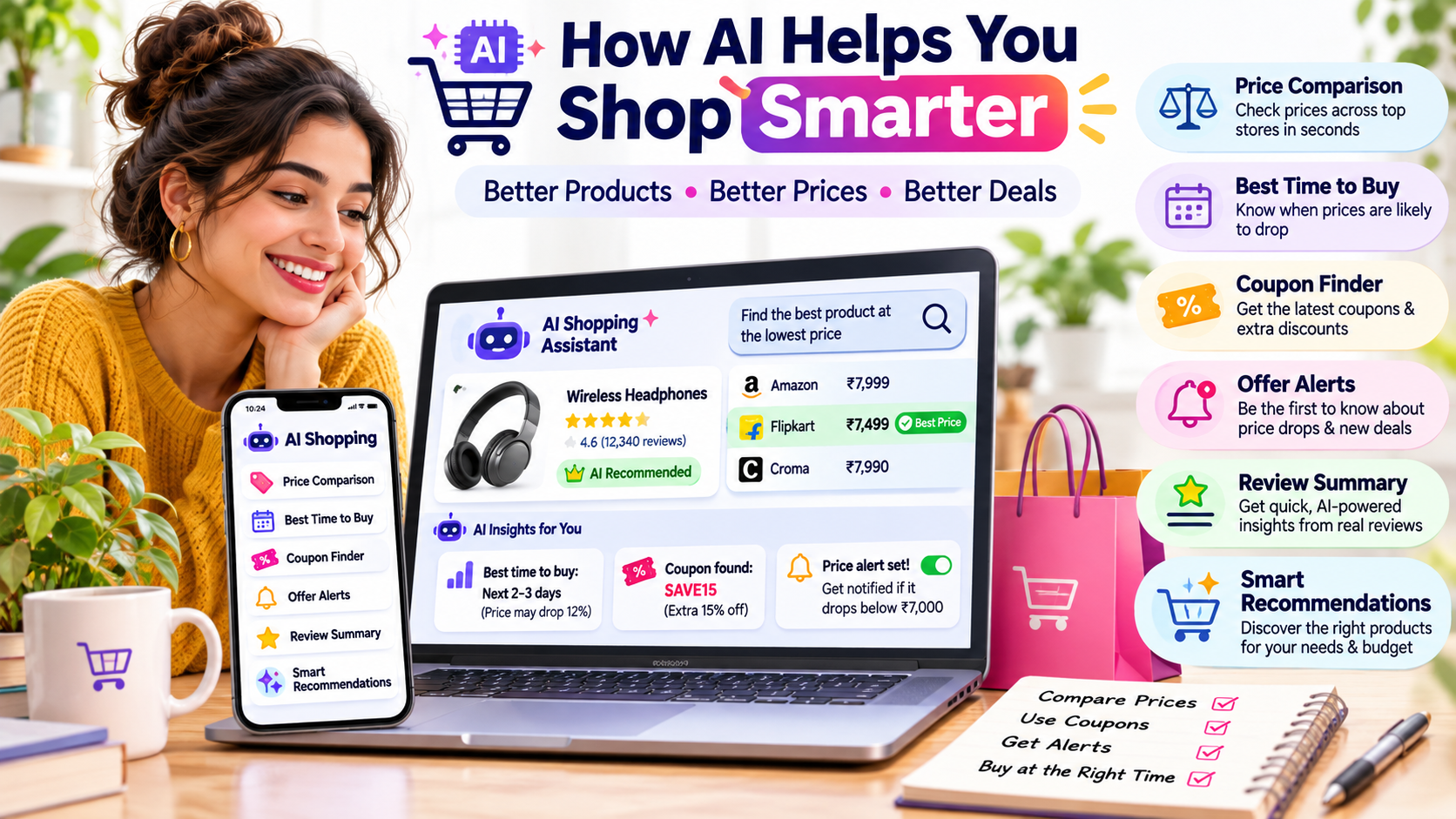
Why AI shopping is suddenly so useful
Shopping used to mean choosing between a few models on a store shelf. Today, a single search for “budget earbuds” can bring up hundreds of similar-looking products. Some have excellent battery life but uncomfortable fittings. Others look premium in photos but leave out a feature you actually need.
That is where AI can save time. You can describe your budget, how you plan to use the item, and the compromises you are willing to make. A good assistant can turn that into a shortlist and explain the trade-offs in plain English.
For example, instead of asking for the “best laptop,” try: “Suggest laptop specifications for a college student in India with a ₹45,000 budget. Prioritise battery life and everyday performance over gaming. Explain which features are essential.”
Notice the difference? You are no longer asking for a random list of popular products. You are asking for advice that fits your life.
1. Find new products without getting lost in hundreds of listings
One of the most helpful uses of AI is product discovery. Maybe you know you need a kitchen appliance, but you don’t know whether to buy a mixer grinder, food processor or compact chopper. Tell an assistant what you cook, your available counter space and your budget.
It can explain how those appliances differ and suggest what kind of product to look for. You can then search current retailer listings for the specific models.
Try this prompt:
“I have ₹2,500 to spend on a useful kitchen gadget for a small Indian family. I make chutneys, chop onions and cook daily. Which type of appliance will help most? Give me a short checklist to compare products.”
Helpful, right? You get a buying framework before anyone tries to sell you something.
2. Compare features before you compare prices
Sometimes the cheapest product is the wrong purchase. Imagine comparing two smartphones: one has more storage, but the other offers longer software support and better battery performance. A bare price comparison won’t tell you which one fits your needs.
AI can turn specifications into a simple table, explain jargon and list the questions worth asking. For a phone, that might mean processor, memory, display, battery, charging, software updates and service options. For headphones, it might mean comfort, microphone quality, battery life, water resistance and warranty.
Important: AI can misunderstand or invent specifications. Check the manufacturer’s official product page and the exact model number before making a decision.
3. Use price tracking so you don’t need to check every day
This is where shopping gets genuinely interesting. Let’s say you’ve decided on a particular pair of headphones, but you don’t want to pay today’s asking price. You can set a price alert rather than repeatedly checking whether the cost has changed.
Google provides a Track Price feature in India for supported product listings. Depending on the device and product, you may be able to choose a target price and receive an email or notification when the price drops. Chrome also offers Shopping Insights on supported products, including price history and tracking.
A realistic example: You find a gadget listed at ₹4,499, but you are comfortable spending ₹3,800. If the platform offers price tracking, set the target to ₹3,800 and wait for an alert. That does not guarantee a drop; it simply helps you avoid checking constantly.
Also remember that price trackers may not cover every seller, variation or delivery fee. Always verify the total payable amount at checkout.
4. Ask AI to look beyond the “50% OFF” sticker
We all know the temptation of a flashy sale banner. But a massive discount percentage is not the same as a great deal. A product labelled “50% off” may still cost more than a comparable option elsewhere.
AI can help you calculate and compare the real value of an offer. Give it the exact product model, current prices, shipping charges and any confirmed coupons or card benefits. Ask it to compare final costs, not just advertised savings.
For instance:
- Store A: product ₹2,799 + delivery ₹149 = ₹2,948.
- Store B: product ₹2,899 with free delivery = ₹2,899.
- Store C: product ₹3,099 with a verified ₹300 coupon = ₹2,799.
In this illustrative example, Store C is cheapest if the coupon is genuinely valid. But if Store C has a poor return policy or unreliable seller, the lowest number might not be the best choice.
For more checks, read our guide to avoiding fake online deals.
5. Discover coupons and bank offers—with one big warning
AI assistants can help you understand the kinds of promotions worth checking: retailer coupons, festival sales, bank-card discounts, exchange offers, cashback and free-shipping thresholds.
What they cannot reliably do without current access is verify every coupon or promise that one will work. Coupon codes expire. Bank offers have conditions. Cashback sometimes arrives later instead of reducing the bill immediately.
A good prompt is: “Here are the official terms of this offer. Calculate the final amount I pay and explain any restrictions.”
Copy the terms from the retailer or bank yourself, and check them against the checkout screen. Never share your OTP, card CVV, UPI PIN or passwords with an AI tool or an unfamiliar shopping website.
6. Turn hundreds of customer reviews into useful questions
Reviews are helpful, but reading hundreds of them is exhausting. On supported shopping platforms, AI-powered review summaries can highlight common praise and complaints. They can make it easier to notice whether customers repeatedly mention a weak battery, incorrect sizing or difficult returns.
Amazon has introduced an AI shopping assistant for customers in India, described in its official shopping-assistant announcement. Availability, features and naming can change, so check the current app interface. Google’s India shopping updates also describe AI-supported ways to find and explore products.
My suggestion: use a summary to decide which reviews to read, not as a replacement for reading them. Look at recent verified-purchase reviews, negative comments and actual customer photographs where available.
7. Use AI to plan purchases rather than buying impulsively
Here’s a shopping hack that doesn’t require any special app: tell an assistant the items you want and ask it to help build a priority list.
For example: “My budget for home upgrades this month is ₹5,000. I want a desk lamp, storage baskets, a water bottle and new headphones. Help me prioritise by usefulness and suggest what to postpone.”
AI can organise the decision, but you still decide what matters. This is especially helpful when a sale makes everything feel urgent.
A practical shopping routine anyone can copy
- Define the need: What problem will this purchase solve?
- Set your maximum budget: Include delivery, accessories and taxes.
- Ask AI for a feature checklist: Not simply a “top ten” list.
- Compare exact models: Confirm current specs on official product pages.
- Track the price if available: Set a realistic target instead of chasing every sale.
- Check real promotions: Read coupon, card and cashback conditions.
- Verify seller and return policy: Do this before sharing payment details.
Five AI prompts to copy before your next purchase
- For finding new products: “I need under ₹[budget] for [use]. Ask me three questions, then suggest the most important features.”
- For product comparisons: “Compare these two exact model specifications. Show advantages, disadvantages and missing information without guessing.”
- For understanding discounts: “Calculate the final cost using these verified prices, delivery fees and coupon conditions. Show the cheapest total.”
- For spotting weak deals: “Look at these product details and seller terms. What should I verify before buying?”
- For keeping to a budget: “Prioritise this shopping list within ₹[budget]. Explain what to buy now and what can wait.”
Can AI really get you the lowest price?
Sometimes AI-supported research can help you find a lower price or recognise a better-value product. But no assistant can promise the lowest available price at all times. Retailer prices change, product variations differ, offers can be location-specific and not every store is covered by every tool.
The best combination is simple: AI for research, a reliable price tracker for alerts, the retailer for live prices, and your own judgement at checkout.
Final thoughts: shop smarter, not just cheaper
The exciting thing about AI shopping isn’t a robot buying everything for you. It’s the feeling of making a decision with less confusion. You can ask better questions, understand your options faster and spend time comparing what really matters.
So next time you see a new gadget, skincare product or home accessory, don’t rush straight to “Buy Now.” Give yourself five minutes to ask AI what to check. You might discover a better product, a worthwhile offer—or a good reason to keep your money in your pocket.
For more helpful buying ideas, visit our money-saving shopping guide and Amazon vs Flipkart comparison.
Sources and helpful tools
- Google Shopping Help: Track product prices
- Google Chrome Help: Shopping Insights and price tracking
- About Amazon India: AI shopping assistant
- Google India: AI-powered shopping features
Editorial note: This is an independently written educational guide, not a claim that Budget Shoppy tested each AI product or received particular discounts. Prices shown in examples and illustrations are hypothetical. Features may differ by retailer, account or region. Read our affiliate disclosure.